

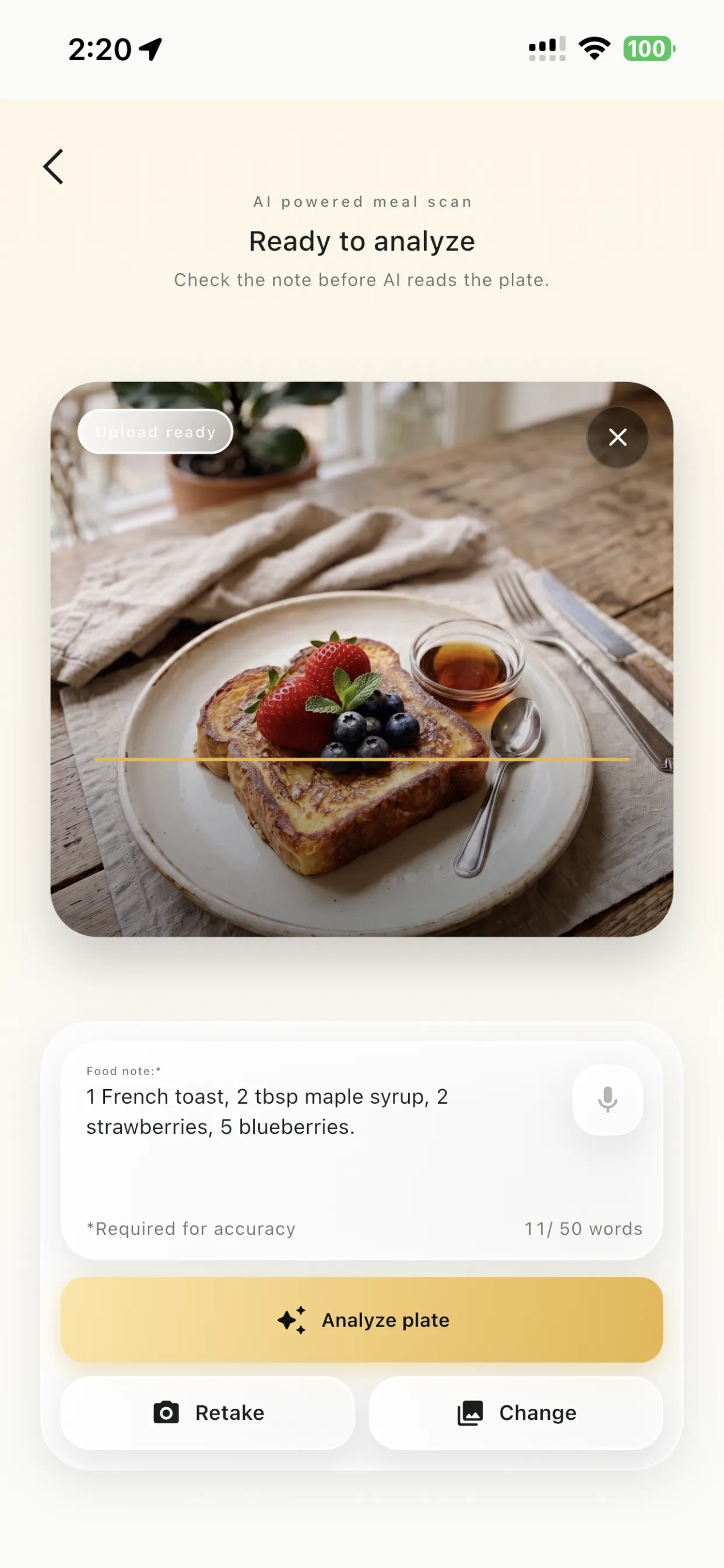
Photo
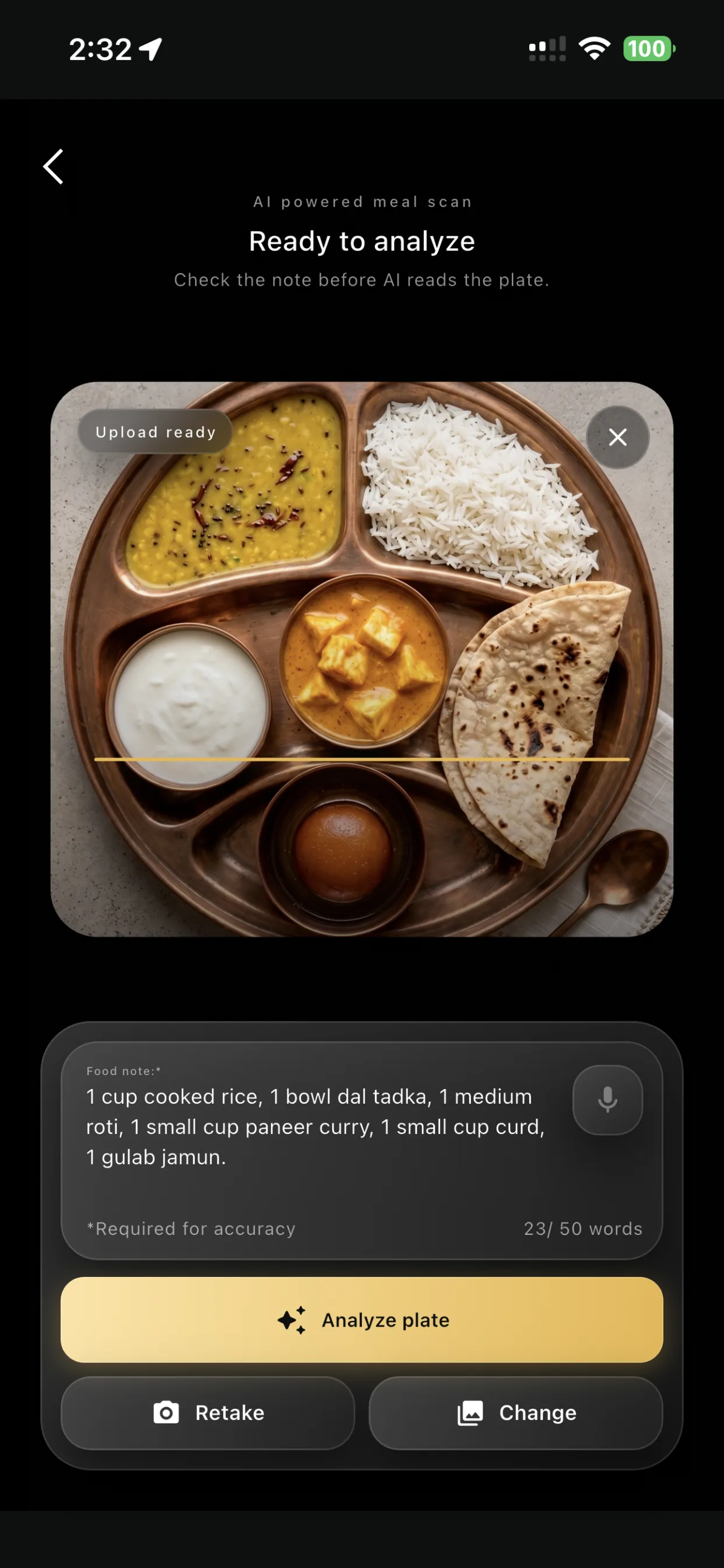
Photo plus food note
Start with one clear plate image. Add a short note like 'French toast, maple syrup, berries' when it helps the AI.
LogMyPlate: AI Calorie Tracker turns a plate photo and short note into an editable calorie, macro, and journal entry.
How it works
Photo
Start with one clear plate image. Add a short note like 'French toast, maple syrup, berries' when it helps the AI.
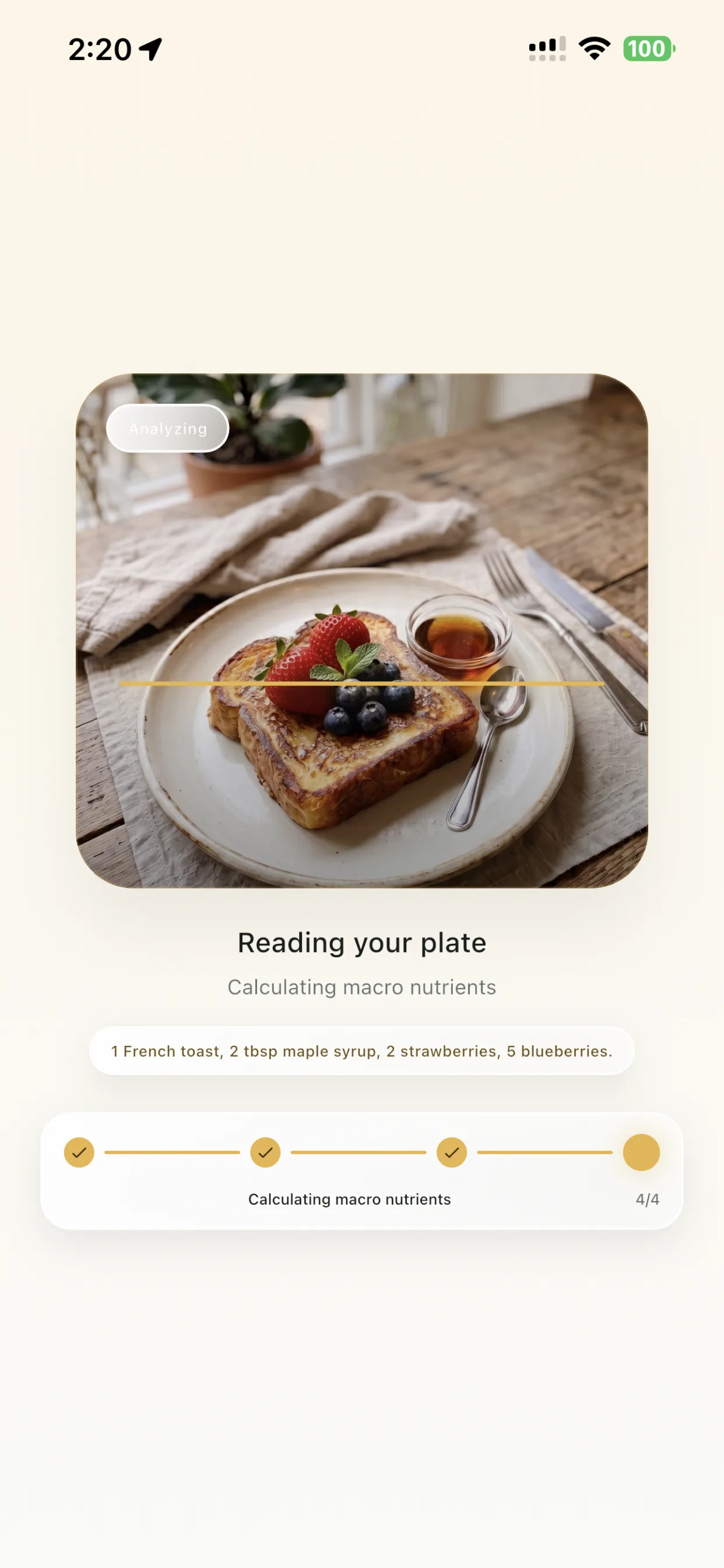
Analyze
The app calculates calories and macro nutrients while keeping the photo flow simple.
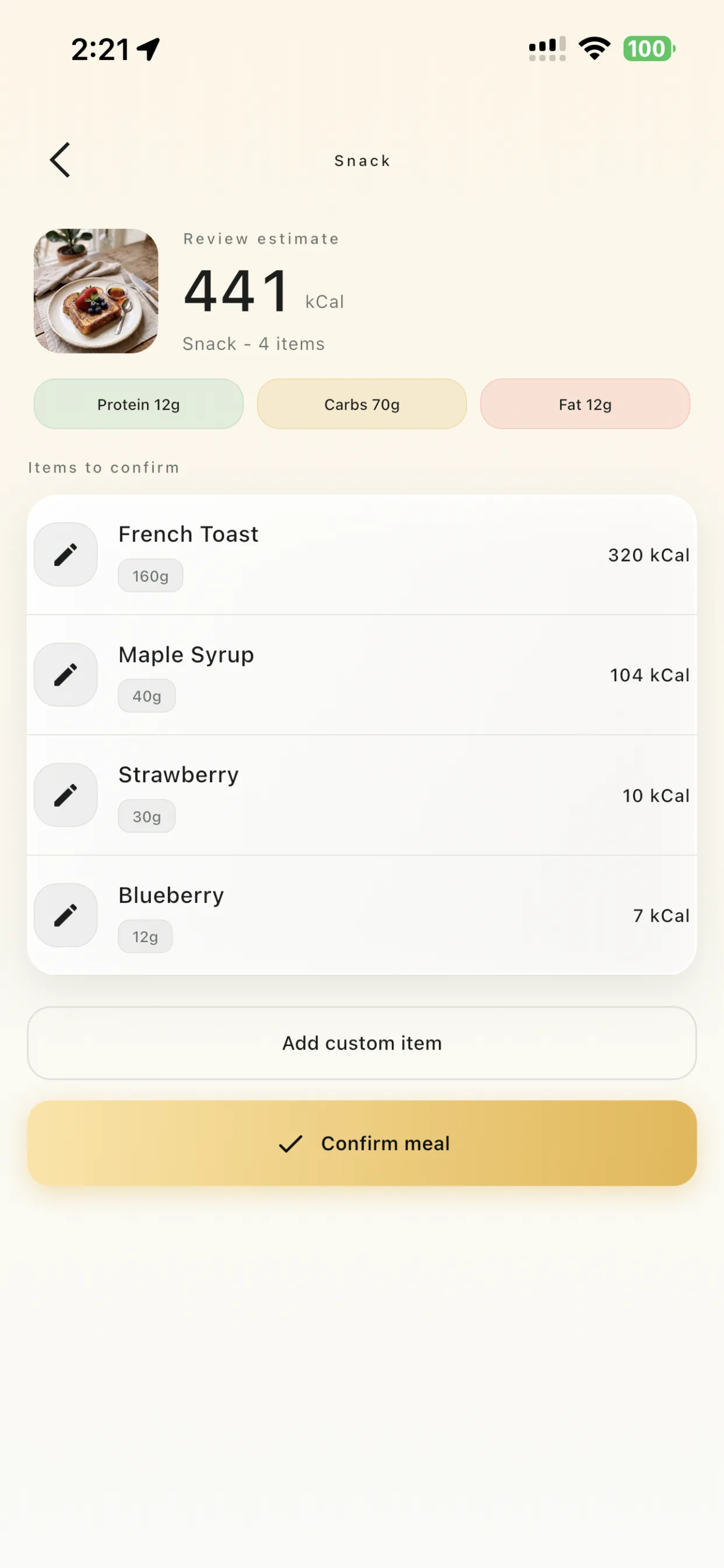
Review
Review every item, portion, and macro before the meal is saved to your journal.
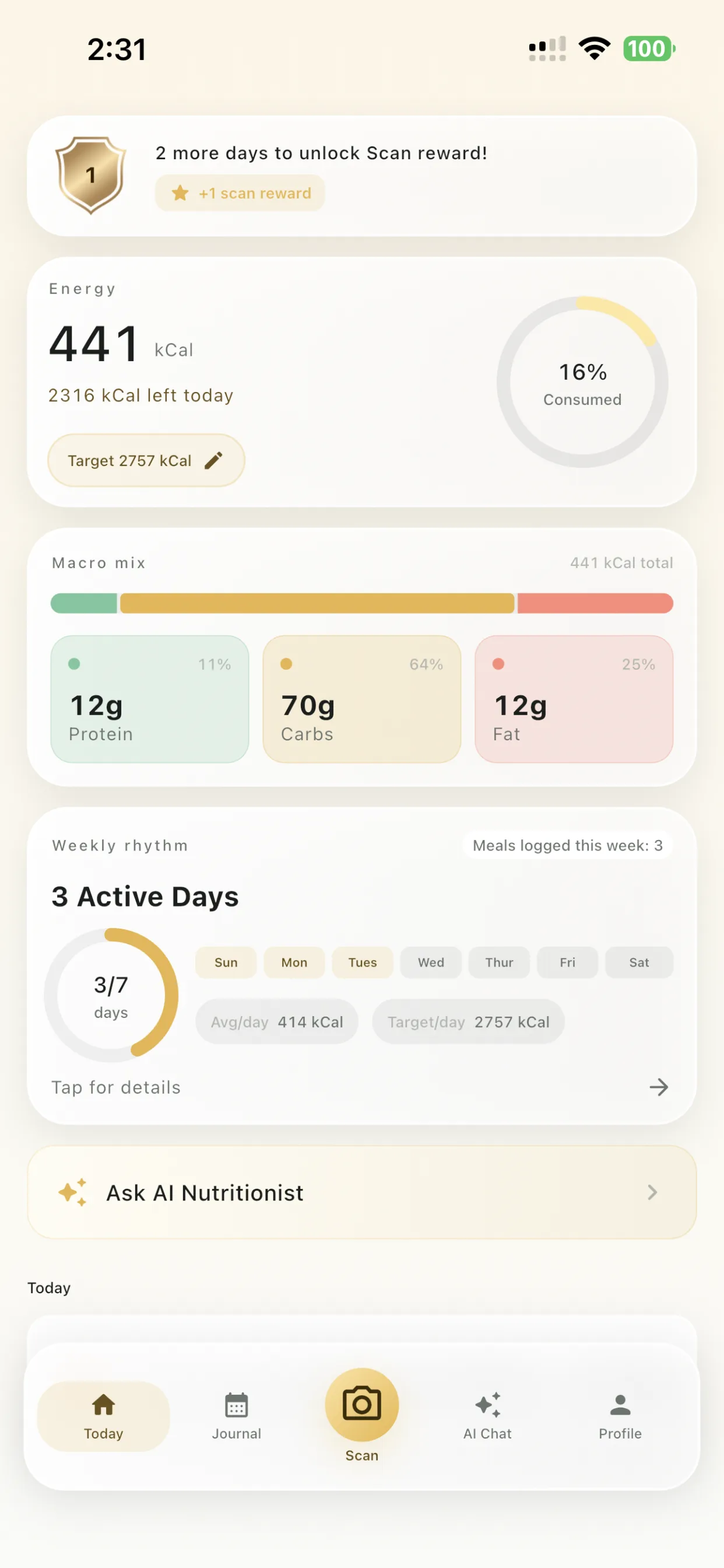
Journal
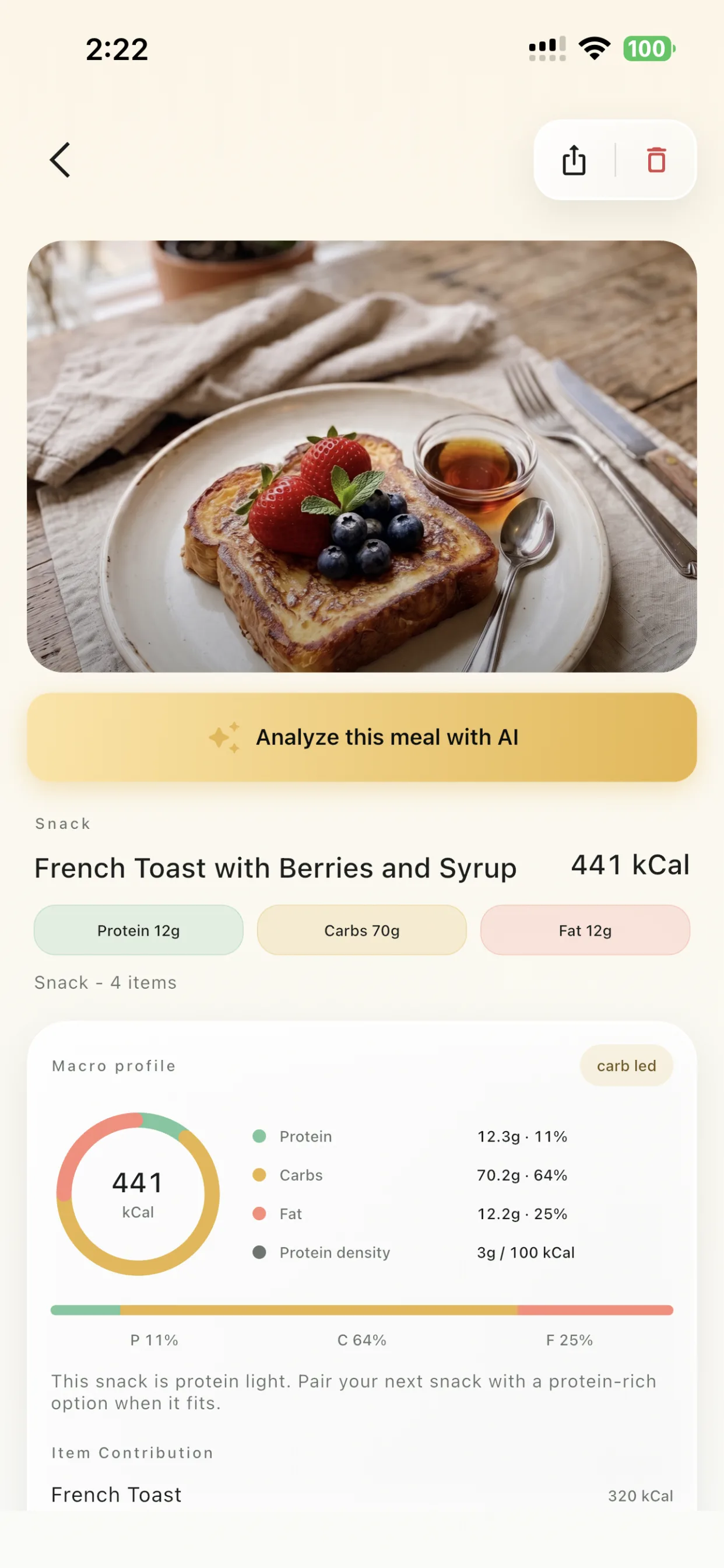
See daily energy, macro mix, weekly rhythm, and meal details in one calm journal.
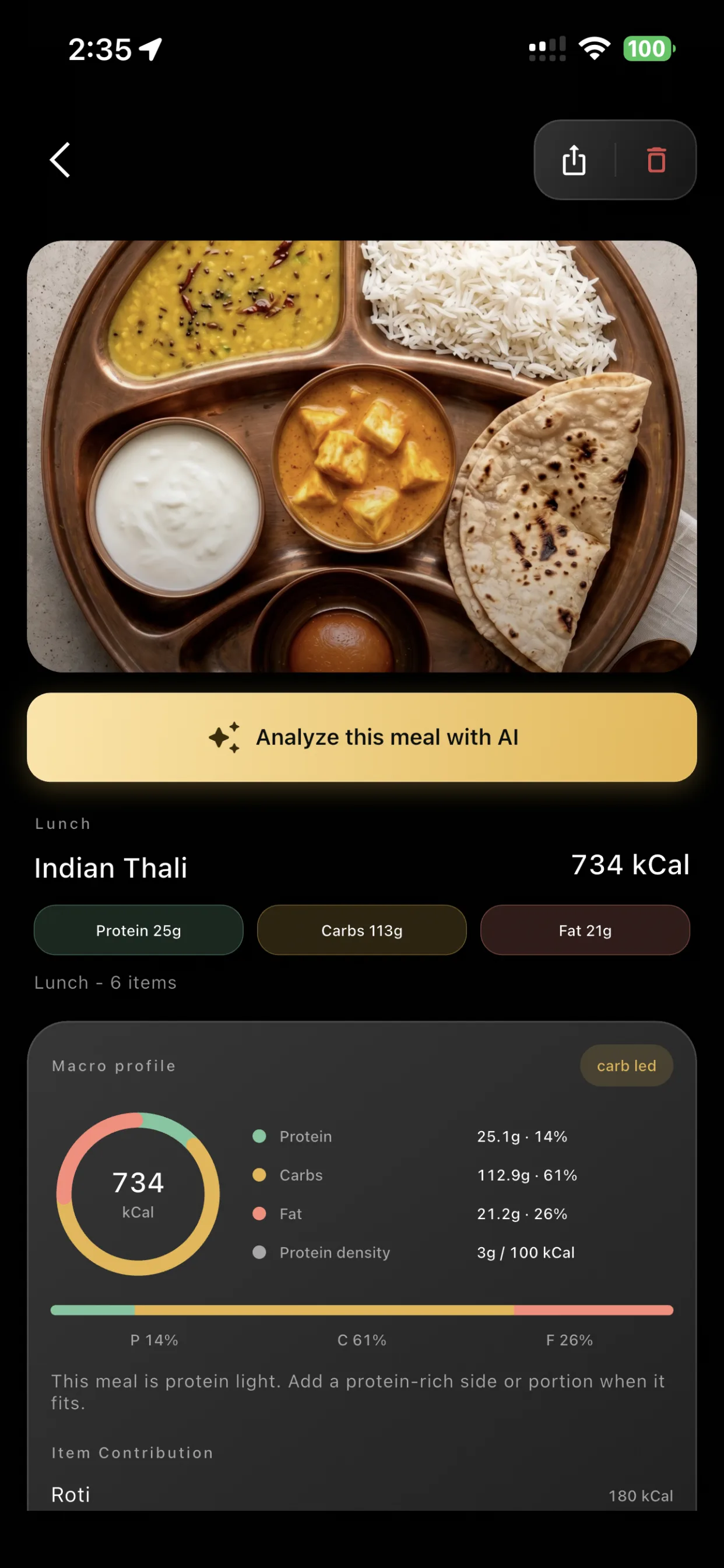
Review estimate
The app shows the estimate before saving: total energy, macro split, item list, grams, portions, and each item's calorie contribution.
You stay in control of the final log. Scan, review, correct what needs correcting, then save the meal when it looks right.
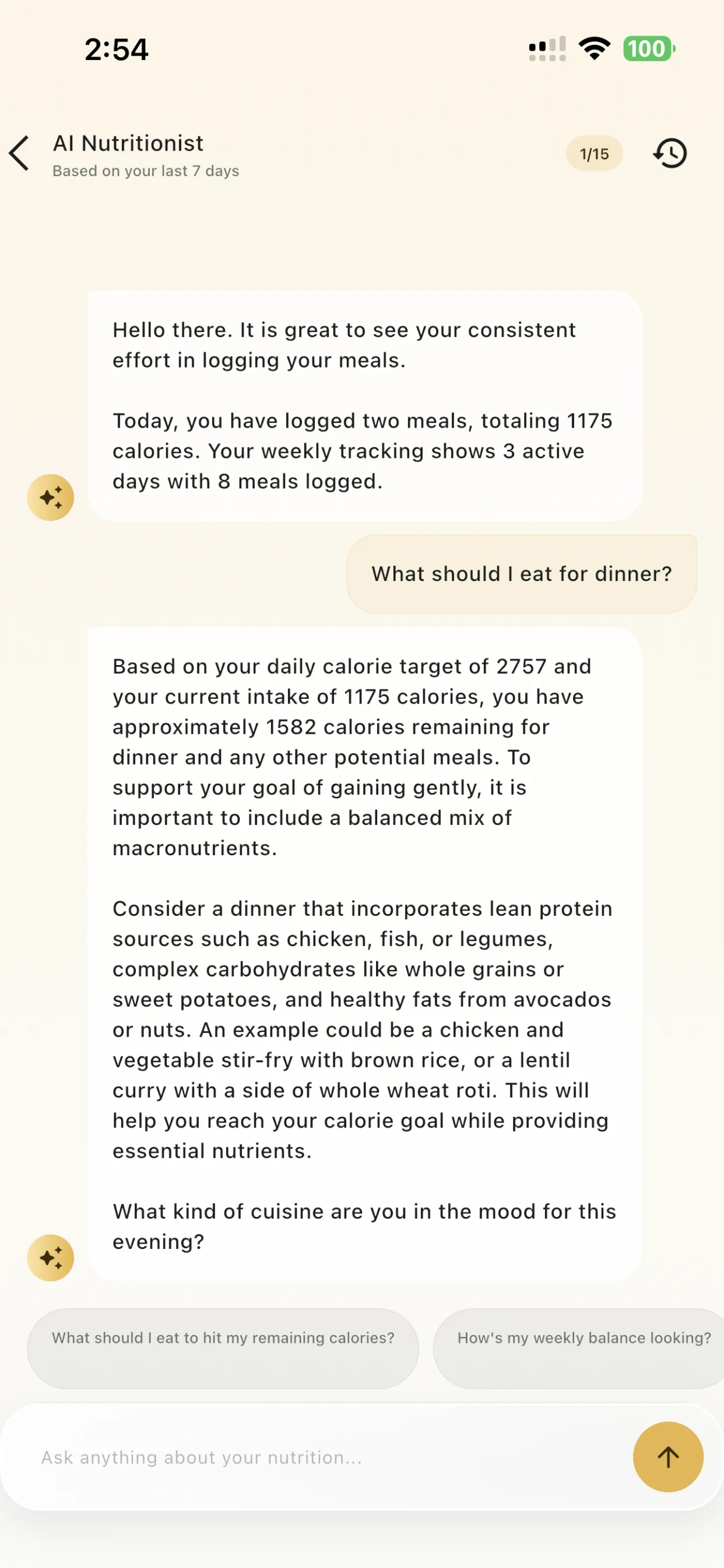
Ask what to eat for dinner or how your week is balancing. The AI Nutritionist answers from your own journal — calorie target, remaining energy, macros, and the meals you actually logged.
App theme
LogMyPlate follows your preferred theme while keeping the same meal scan, target, and journal flow easy to read.
Dark theme
Light dashboard
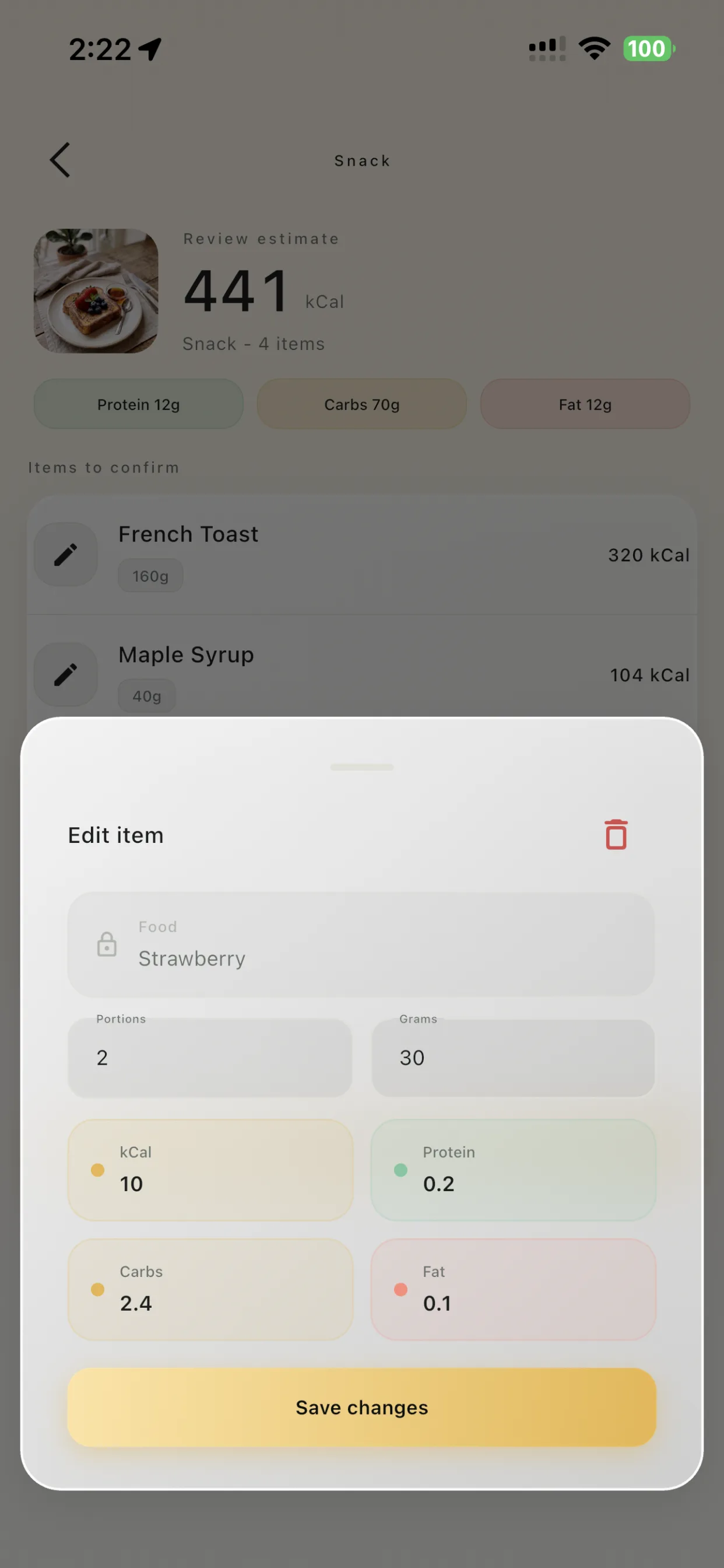
Edit any item


For the first 30 days from launch, every new account gets daily AI meal scans and an AI Nutritionist chat — free, no card needed. When the offer ends, keep scanning by watching a quick ad, or unlock Premium.
Free at launch · 30 days
Premium
No card needed to start. Subscription prices and renewal terms are shown at store checkout.

Add a note, review the estimate, and keep your journal moving with a calorie tracker designed around real meals.
Privacy Policy